There’s an 80/20 rule for software.
80% of people will use or get value from 20% of the features.
Given that, what if you flipped the equation around and asked, what 20% more could I do or learn to be 80% more effective?
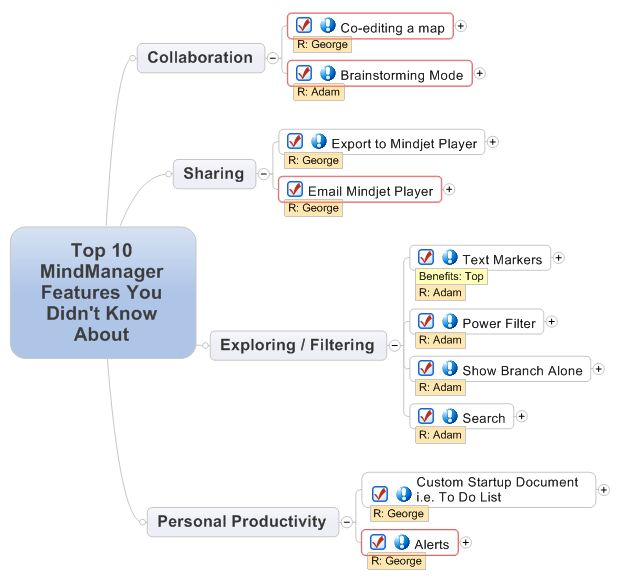
Yesterday, I received a note from a visual mapping enthusiasts at Proctor & Gamble, Adam Siemiginowski. Adam met with George Shaheen of Mindjet and together they mapped out the following post of the Top 10 MindManager Features You Didn’t Know About.
Go ahead, take a look.
I challenge you to pick out two of these power features to add to your mapping repertoire…
Practice using the feature for a couple of weeks and let us know how it worked for you!
Note: Adam uses both MindManager 8 for Windows and Mindjet Catalyst. So the feature list below reflects his power tips!
1. Co-editing a map
Work with your team! Keep everyone on the same page, both literally and figuratively. Collaboratively and simultaneously take notes, brainstorm new ideas, or manage a meeting.
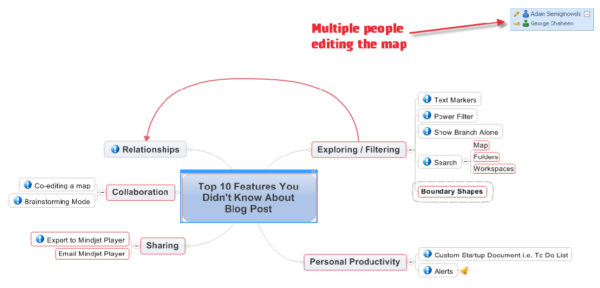
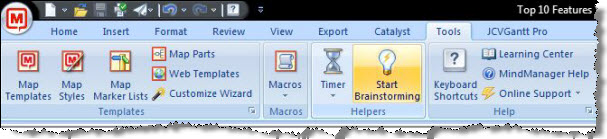
2. Brainstorming Mode
Capture a steady stream of new ideas and possibilities… then categorize, sort, and modify them for your final output. This works best in 5-10 minute increments to move forward in a new discussion.
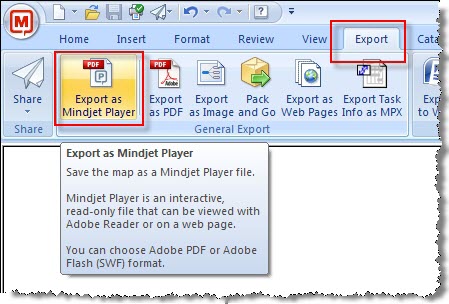
3. Export to Mindjet Player
Trying to share your map with someone who doesn’t have MindManager? No problem! Use the export to Mindjet player option to create a flash-enabled PDF of your map. Anyone with Adobe Reader can open the file and surf the content interactively.
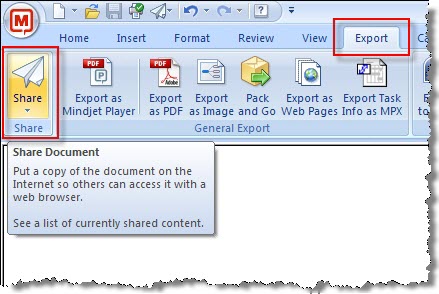
4. Email Mindjet Player
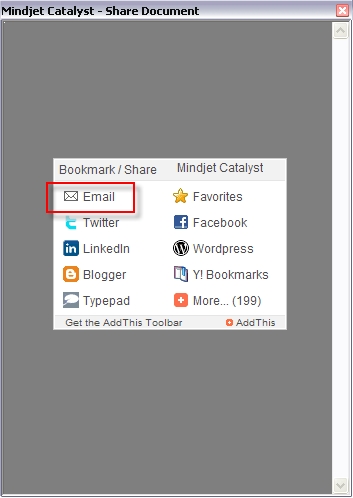
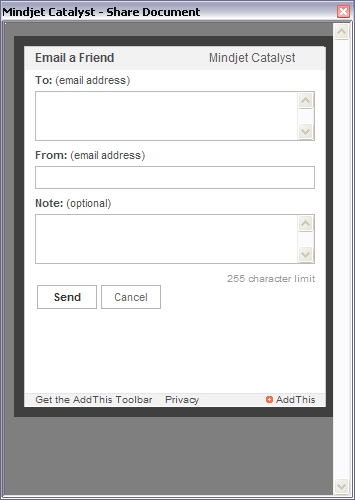
No more need to send large attachments! Use Catalyst to host your Mindjet Player file by using the share option. A read-only version of the file will be hosted and you can email the link to that map to your colleagues.
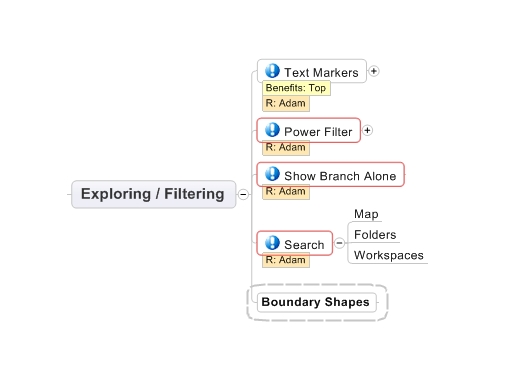
5. Utilize Text Markers
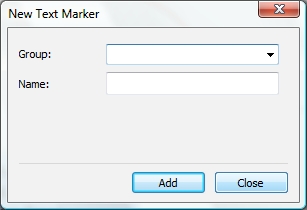
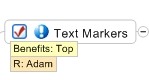
Mark specific nodes in your map… enable categorization of your content.

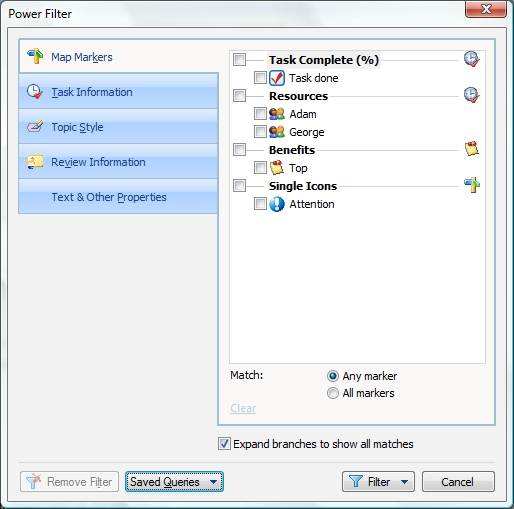
6. Utilize the Power Filter
Filter by specific text markers, resources, and icons.
7. Show Branches Alone
Tackle an unwieldy map for working and presenting… while continuing to keep all the content in one location.
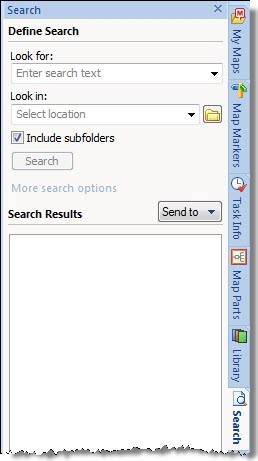
8. Search your maps
Search your map, folders, or collaborative workspaces.
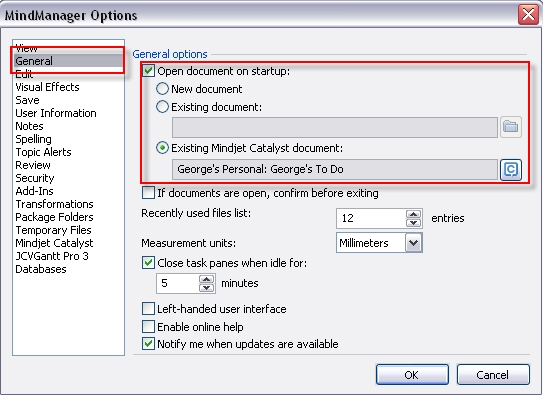
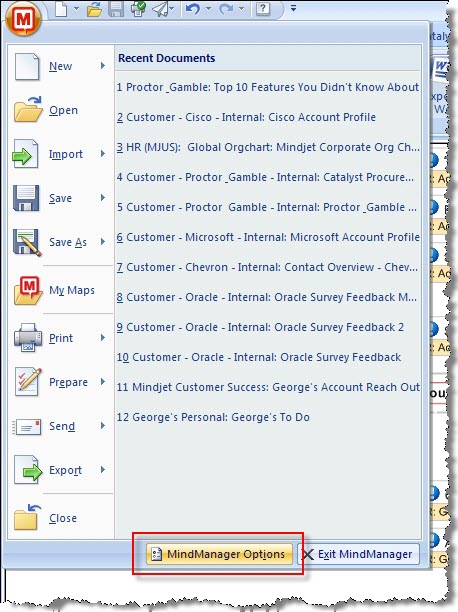
9. Setup a Custom Startup Map i.e. To Do List
Find yourself opening the SAME map everyday? Change the default startup map! Great for to-do lists or personal dashboards.
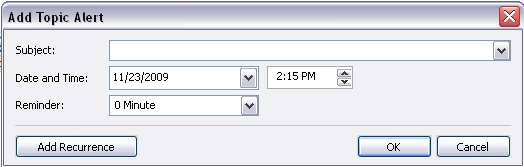
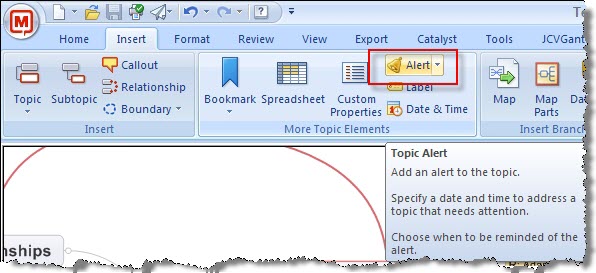
10. Alerts
Set topic alerts using the alert feature. Your map will alert you at the time you designate! Combine this with a startup map and you have a winning combination. The map will alert you once you open MindManager!
Thanks Adam and George for sharing!!



#1 by Jin at December 10th, 2009
| Quote
maybe not the right area to ask, but will there be any work on getting mindjet on Android?
#2 by Kaido Irval at December 8th, 2009
| Quote
Simple intro
I use them regularly, exept “Email Mindjet Player”.
Mindjet Player is also good to use at homepages, exept showing right-hand maps (positioning centre instead of left to show more in the window).
#3 by Michael Deutch at December 1st, 2009
| Quote
Hello Herbert and welcome! I’ve forwarded your email to our team in Asia so they can help you in your quest to drive creative problem solving and innovation into your company
Thanks!
#4 by herbert at December 1st, 2009
| Quote
I am from Shanghai, China. I used Mind Manager 6 for brainstorming as well as root cause analysis in my company (chemical industry). The advantage is that everyone else in my company have Mind Manager Reader version so that they can view my map on public drive.
The bad side for me is that I do not have the 8 version installed. But have 6 is much better than nothing.
I hope company will have Mind Manager Catalyst installed as standard software. So please sales person from Mindjet convince the management in my company to do it. I have already done my part,\.
#5 by Michael Deutch at November 30th, 2009
| Quote
Anthony, no, this isn’t a feature in Mac. However, the exact same function can be performed using Mac simply by adding floating topics as you brainstorm. Add one, hit enter, add another. Then organize them into categories.
#6 by Anthony Coppedge at November 30th, 2009
| Quote
The #2 recommendation: “Start Brainstorming” isn’t a feature on the Mac version. Is an update coming that will include it?
#7 by Michael Deutch at November 27th, 2009
| Quote
Welcome longziniu!
#8 by longziniu at November 26th, 2009
| Quote
I like mindmanager!
I come from china.
#9 by ??? at November 26th, 2009
| Quote
??? ?????
#10 by Michael Deutch at November 25th, 2009
| Quote
Raul – That’s a cool feature. I’ve used it when pasting research into a map. Sometimes you want to break up the content into separate topics. Merging topics would be cool as well.
Fernando – Check out the alerts, MindManager doesn’t even have to be running to alert you. When the pop up appears and you press the link, MindManager will open up, load your map, and focus on the topic with the alert.
Andrew – Our team is looking at ways to enhance performance. Regarding the images, that’s the default behavior of our wordpress setting. Thanks for your suggestion to link to the Player maps. A few extra steps involved but if I have time, I’ll look to do so.
#11 by Raul Agrait at November 25th, 2009
| Quote
My favorite not-yet-famous feature of MindManager is Split Topic. You can highlight a portion of a topic and have it be automatically be made a descendant, parent, or sibling. It even preserves all of the inline formatting when you do this!
#12 by Fernando at November 25th, 2009
| Quote
The Alerts feature was something I hadn’t explored before… Hmmm…. Looking into how I can leverage that for using MM as my main task list (I currently use My Life Organized, which is great, but I miss some of the MM visualization options).
Thanks!
#13 by Andrew Wilcox at November 24th, 2009
| Quote
Phew! Nothing there I did not know or use regularly.
Except the Mindjet Player which I do not use regularly. The overhead in file size and time to get going on the recipients PC is too much. The control systems I worked on in the early 80s all displayed their next screen in 4s! Mindjet Player takes over a minute to display the map on web connections in Winchester and London UK.
Everything else is great and I use them all the time.
Also wierd that you map of the ten features which appears to be linked opens the same jpg! My expectation was a Mindjet Player or a fully expanded map as an image or links to the relevant section in this blog.
p.s. I love using MindManager